✨ New Arrivals Just Dropped!Explore

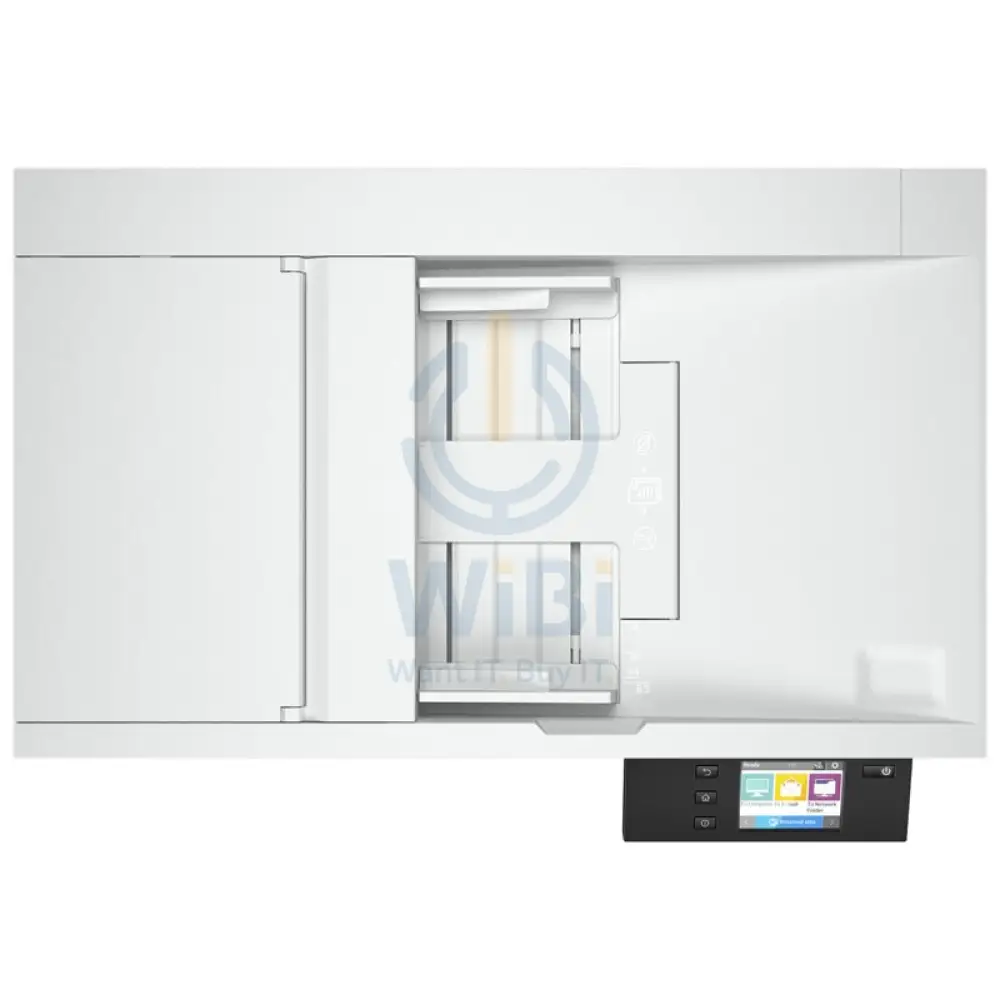
إتش بي سكان جت برو fnw1 - 40 صفحة في الدقيقة / 1200 نقطة في البوصة / A4 / شبكة محلية واي-فاي يو اس بي ماسح ضوئي مسطحة
| ماركة | إتش بي |
| موديل | HP ScanJet Pro N4600 fnw1 Flatbed ADF Scanner |
| ماسح ضوئي النوع | ADF، تكنولوجيا المسح الضوئي CIS، مسطحة |
| مسح تكنولوجيا | ADF؛ مسطحة؛ مستشعر الصور التلامسية مستشعر CIS) |
| مسح دقة بصري | فوق إلى نقطة في البوصة لون أحادية اللون، وحدة التغذية التلقائية للورق)، فوق إلى نقطة في البوصة لون أحادية اللون، مسطحة) |
| دورة الموصى به (يوميًا) | فوق إلى صفحات |
| بت العمق | بت خارجية)،بت داخلية) |
| مستويات تدرج الرمادي | 256 |
| الكشف عن تعدد الأعداء | لا |
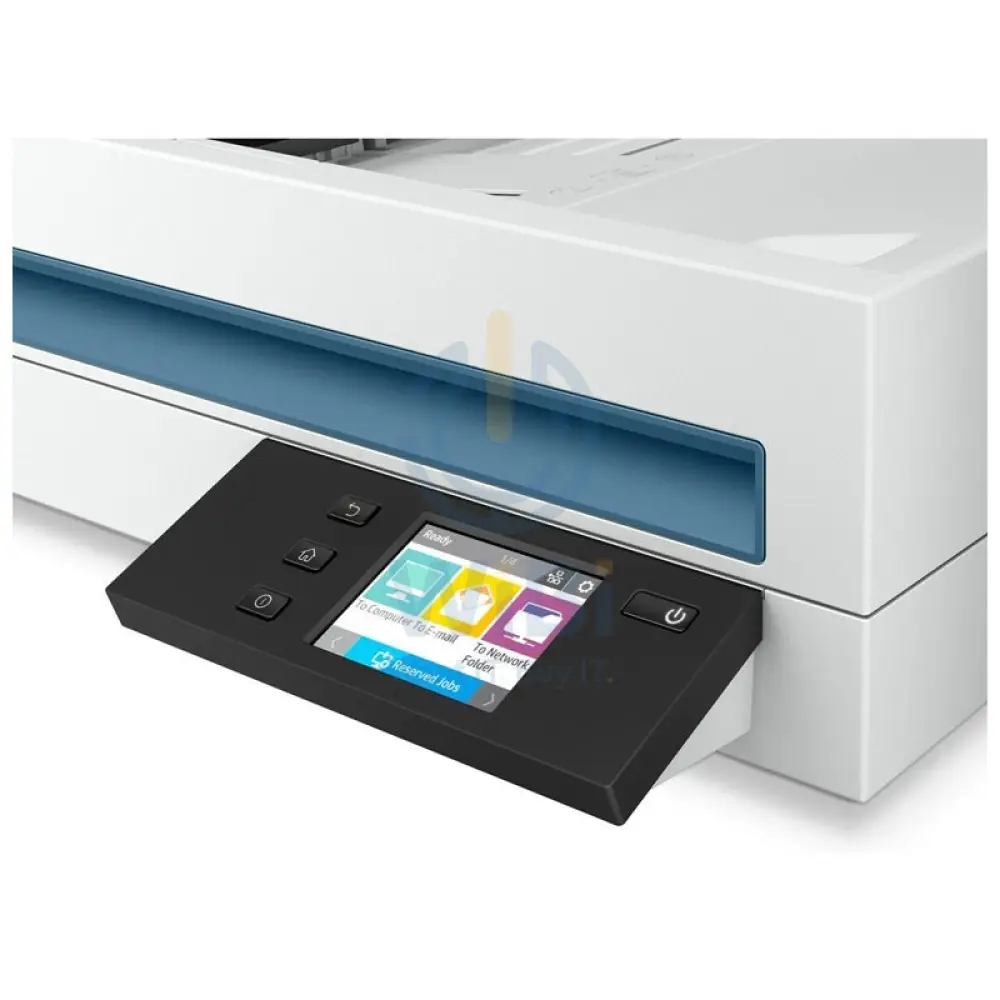
| شاشة | 2.8-in (7.11-cm) Touchscreen |
| ذاكرة | 512 ميغابايت |
| مسح حجم | ADF: 216 x 5362 mm Maximum; 89 x 148 mm Minimum; Flatbed: 216 x 356 mm |
| الوسائط أنواع | الورق (لافتات، نافثة للحبر، صور، عادي)، الاظرف (المغلفات) الملصقات، بطاقات بطاقات المعايدة، بطاقات الفهرس) |
| الوسائط | ورقة؛ قانونية؛ تنفيذية؛ A4؛ A5؛ A6؛ B5؛ B5 (JIS) |
| أوزان الوسائط مدعومة بـ ADF | 45 to 120 g/m² |
| مسح تنسيق الملف | بالنسبة صفحات النص والصور: PDF، JPEG، PNG، BMP، TIF، نص (TXT)، نص منسق (RTF)، PDF قابل للبحث، PDF/A، Word (DOC)، Word (DOCX)، Excel (XLS)، Excel (XLSX)، CSV |
| أوضاع الإدخال مسح | Scan Front-Panel Function : Scan to Computer, Scan to E-mail, Scan to Network Folder, Scan to Share Folder, Scan to USB Drive and Everyday Scan. HP Scan in Win OS, HP Easy Scan/ICA in Mac OS and THIRD parties applications via TWAIN. |
| رقمية إرسالميزات قياسي | Send to Email (Store Up to 50 e-mails); Send to Network Folder; Send to PC |
| ماسح ضوئي متقدم ميزات | One pass duplex scanning; Multi-feed detection sensor; Configurable Scan shortcuts with HP Scan (included): OCR; Auto exposure; Auto threshold; Auto detect color; Background smooth/removal; Auto detect size; Straighten content; Enhance content; Auto orient; Multicolor dropout; Edge erase; Blank page options: Delete Blank Page, Blank Page Detection Sensitivity, Zonal Blank Detect; Merge pages; Document separation options: Zonal Text Separation, Barcode Separation, Blank Page Separation (Front/Back/Both/Any side selection), Add Page Separator Manually; Auto Feed; Show Viewer After Scan and Post Scan Operations are: Mark the image for Deletion, Rotate option, Move Left/Right, Create/Delete New Selection, Save as Scan Area, Manual Straighten option, Drag and Crop, Undo Options, image - Basic Zoom Slider, Open in Zoom Window(Zoom, Crop, Rotate); Background Clean-up options: Clean-up Background, Remove: make white, Smooth: make consistent, Remove Holes, Multi-Streaming; Single zone Selection for Zonal OCR, Barcode and QR Code; PDF options: PDF Security Settings (Applicable for PDF and Searchable PDF), Password Security & Document Permission Settings, PDF – iHQC compression, File Size/Quality Slider; TIFF Compression Options: for Gray or Color: Uncompressed/LZW/Jpeg-Tiff, for BW: Uncompressed/LZW/Tiff G3/Tiff G4; File Name Options: Base Name, Date, Time, Document Counter, Barcode Value, Zonal Text, File name sequence Settings, If File name already exists Actions - Overwrite/Append Date Time Stamp/Prompt for File Name, Intelligent File Naming; Destinations options: Email (Mail Clients, Save Local Copy Option, Local or NW), Folder, Save Folder path, Show Save as Dialog Box, After Saving the File(s) action, Printer/Fax, Plugins available if not already included: SMTP, SFTP, Box and Evernote, SharePoint, SharePoint365, Google Drive, Dropbox, OneDrive, One Drive for Business and more; Enable Book Scan (Flatbed); Vertical Streak Removal/Detection; Multi Document Scanning; Enable Desktop Icons creation for Scan Profiles/Shortcuts; Shortcut Management: Create new Scan Shortcut, Delete Shortcut, Rename Shortcut, Shortcut Move Up/Down, Shortcut – Save/Undo, Restore Shortcut Defaults-Factory Settings, Import/Export Shortcut; retrieve shortcuts from Scanner without accessing the software on the PC; Configurable Scan shortcuts as standalone (using only the firmware of the scanner) without using the HP Scan Software: Scan to Computer, E-mail, Network Folder, SharePoint, Scan to USB Drive |
| لوحة التحكم | 2.8-in (7.11-cm) Touchscreen, Buttons (Power, Back, Home, Help) |
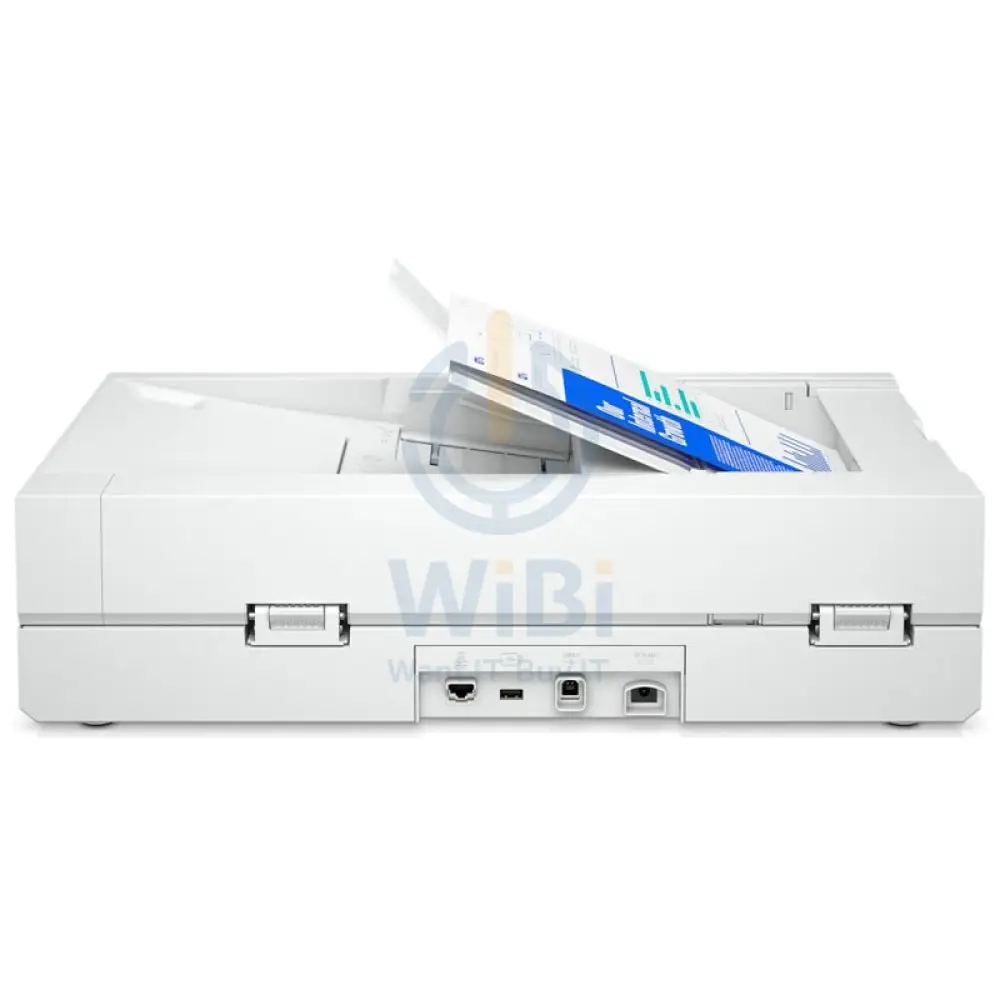
| وحدة تغذية المستندات تلقائي سعة | قياسي، 100 ورقة |
| وحدة تغذية المستندات تلقائي سرعة | Up to 40 ppm/80 ipm (Black & White, Grey and Color, 300 dpi) |
| خيارات المسح الضوئي (وحدة التغذية التلقائية للورق) | دوبلكس فردي دوبلكس |
| دوبلكس المسح الضوئي ADF | نعم |
| متوافق تشغيل أنظمة التشغيل | ويندوز ويندوز ويندوز ؛ ويندوز .1؛ ويندوز ؛ ويندوز سيرفر نظام تشغيل ماك .14 Mojave؛ نظام تشغيل ماك . نظام تشغيل ماك Catalina؛ نظام تشغيل ماك Big Sur؛ نظام تشغيل ماك Monterey؛ لينكس |
| ماك متوافق | نعم |
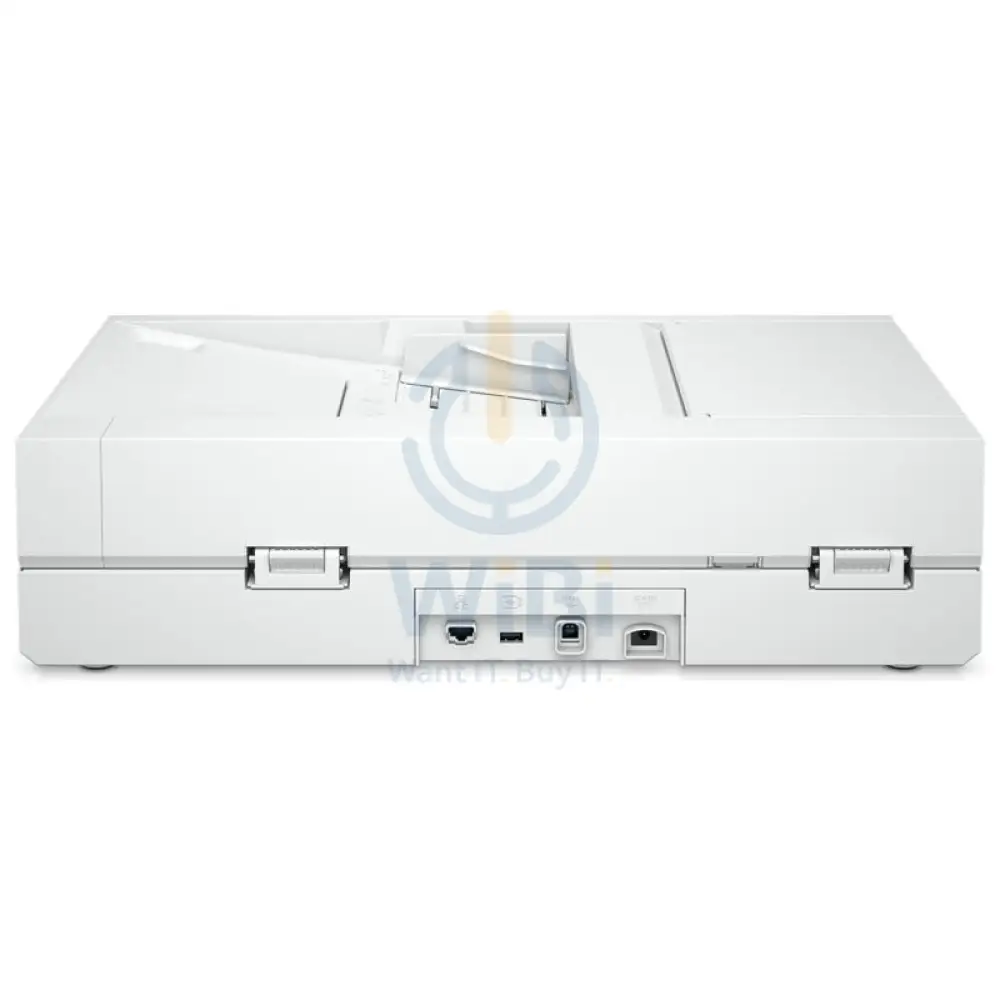
| اتصال قياسي | Ethernet 10/100/1000 Base-T, USB 3.0, Wi-Fi 802.11 b/g/n, Wi-Fi Direct |
| توين نسخة | نسخة .4 |
| طاقة | الجهد الدخل: 100 إلى فولت تيار متردد |
| طاقة استهلاك | 17.4 Watts (Active-Scanning), 7.5 Watts (Ready), 1.9 Watts (Sleep), 0.06 Watts (Auto-Off), 0.06 Watts (Manual-Off) |
| نطاق تشغيل الحرارة التشغيلية | 10 إلى 35 درجة مئوية |
| تشغيل رطوبة نطاق التشغيل | 15 إلى 80% رانددون تكاثف) |
| الأبعاد واط × عمق × ارتفاع) | 537 x 443 x 388 mm |
| الوزن | 6.1 كجم 6.1 |
| الضمان | سنة واحدة |
معلومات المنتج
معلومات المنتج
الشحن والإرجاع
الشحن والإرجاع
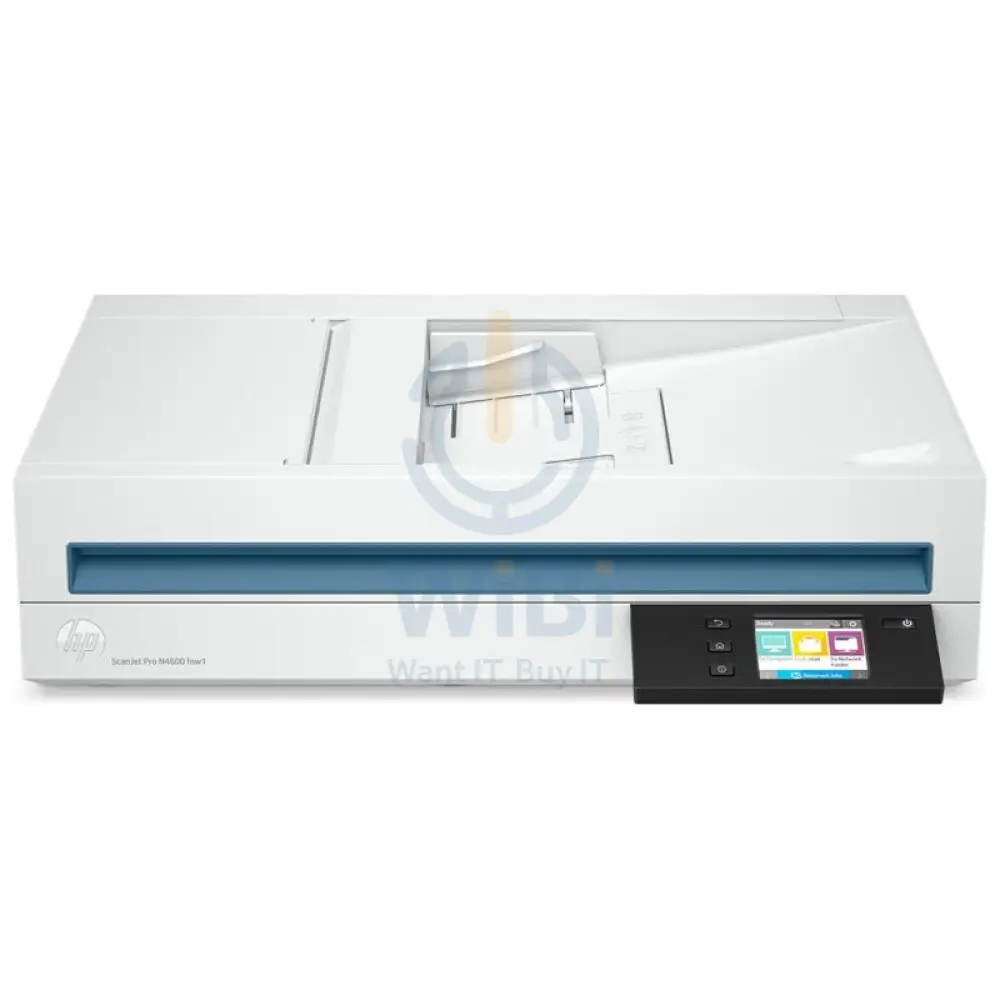
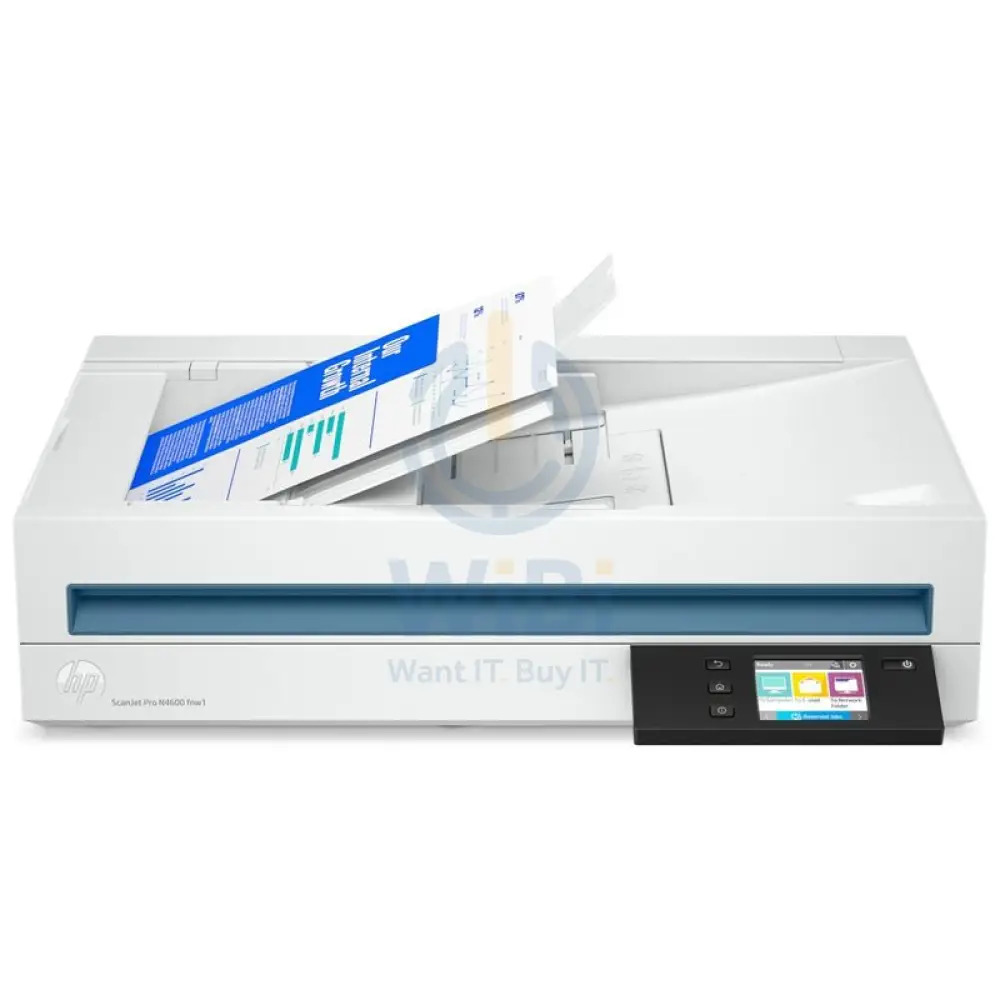
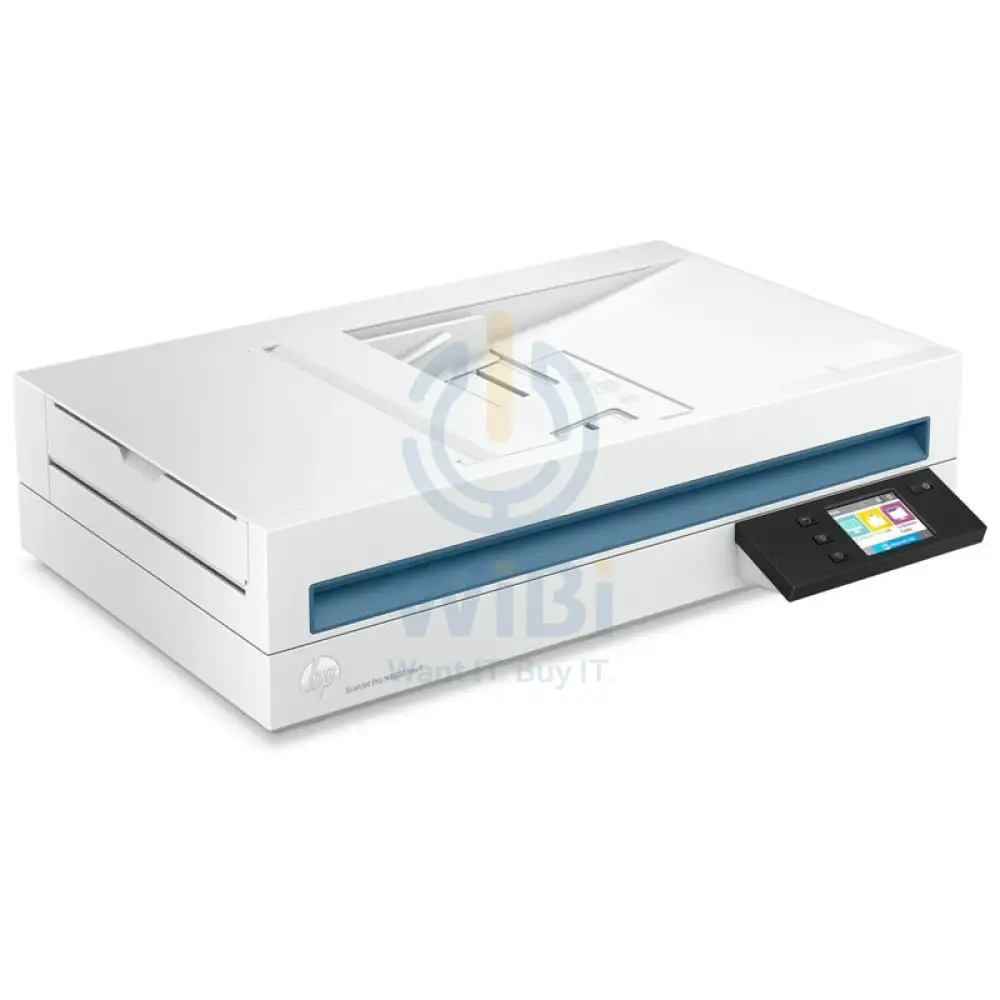
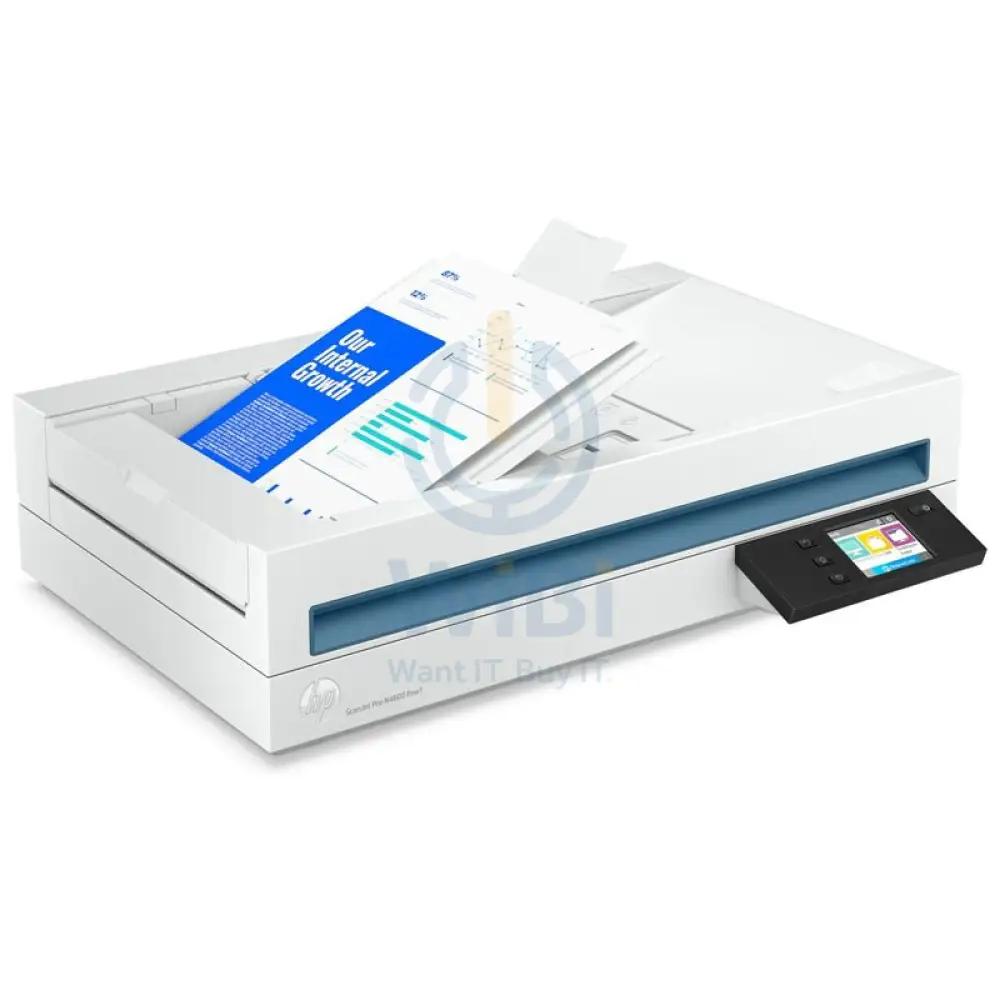
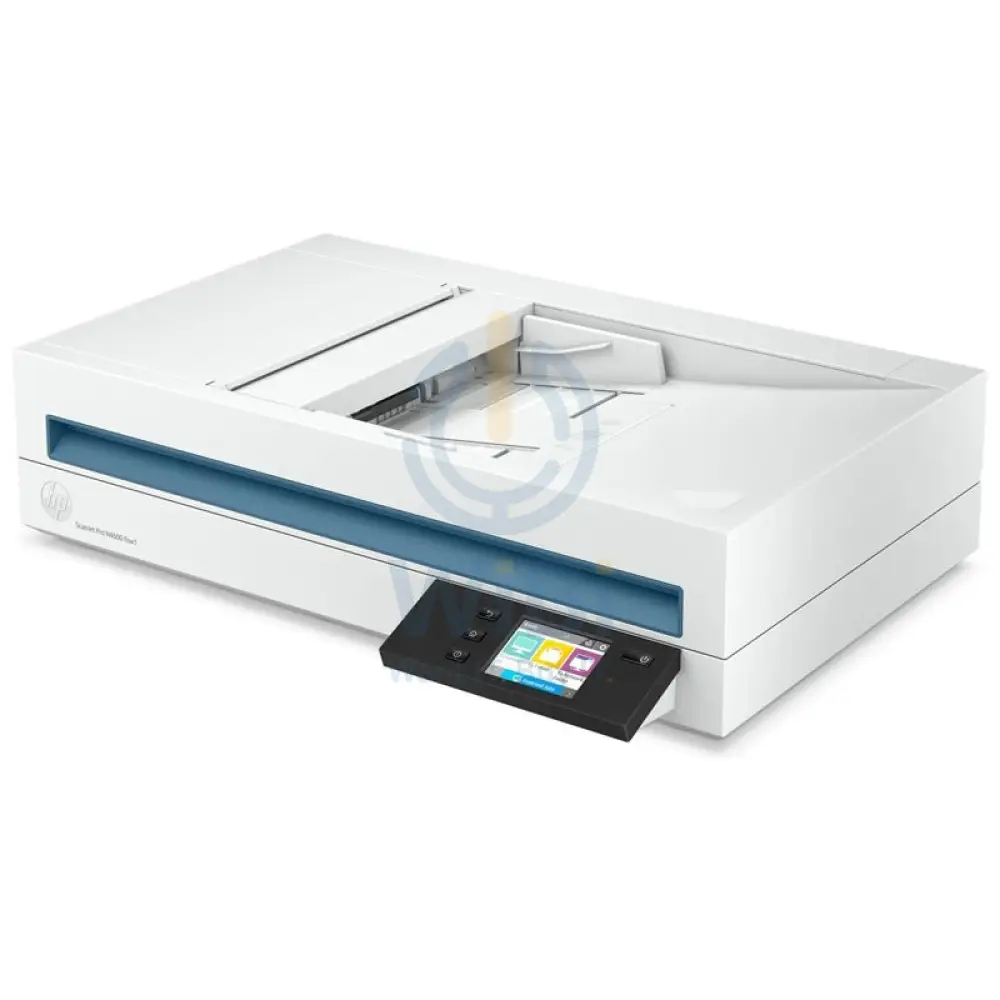
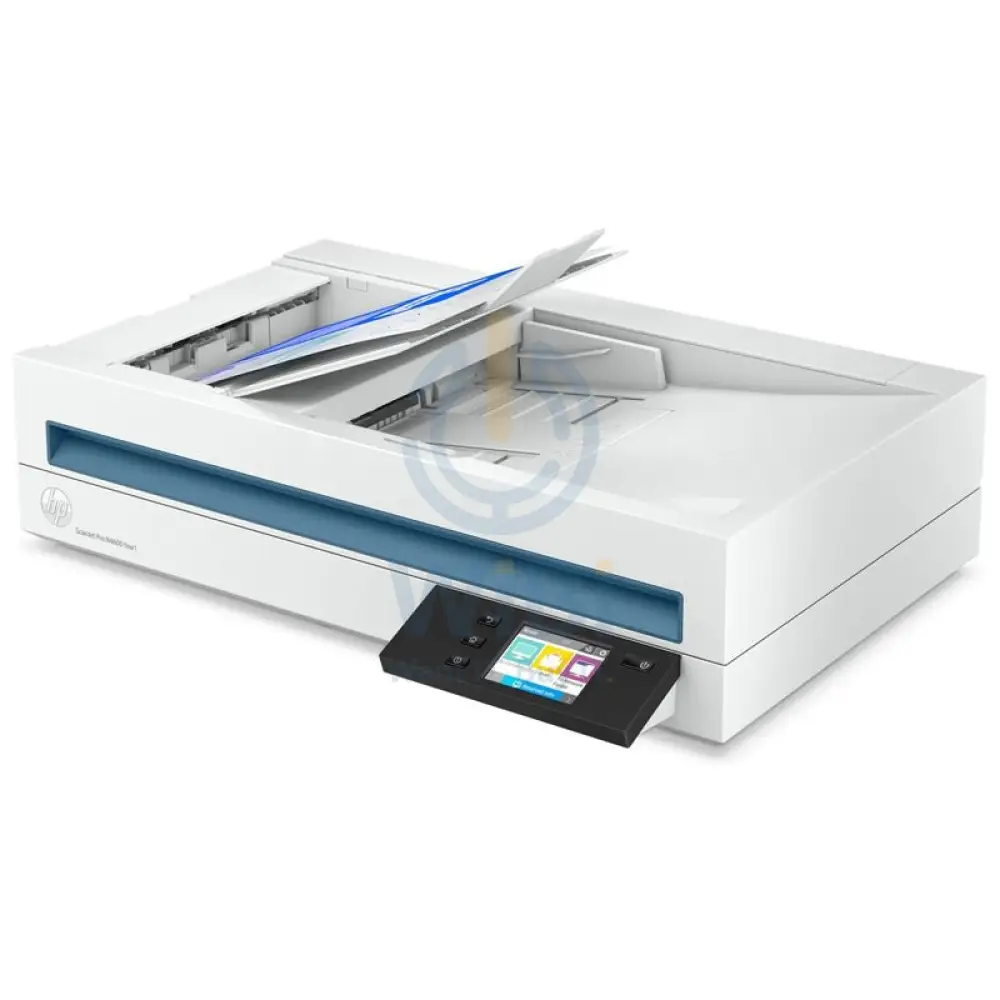
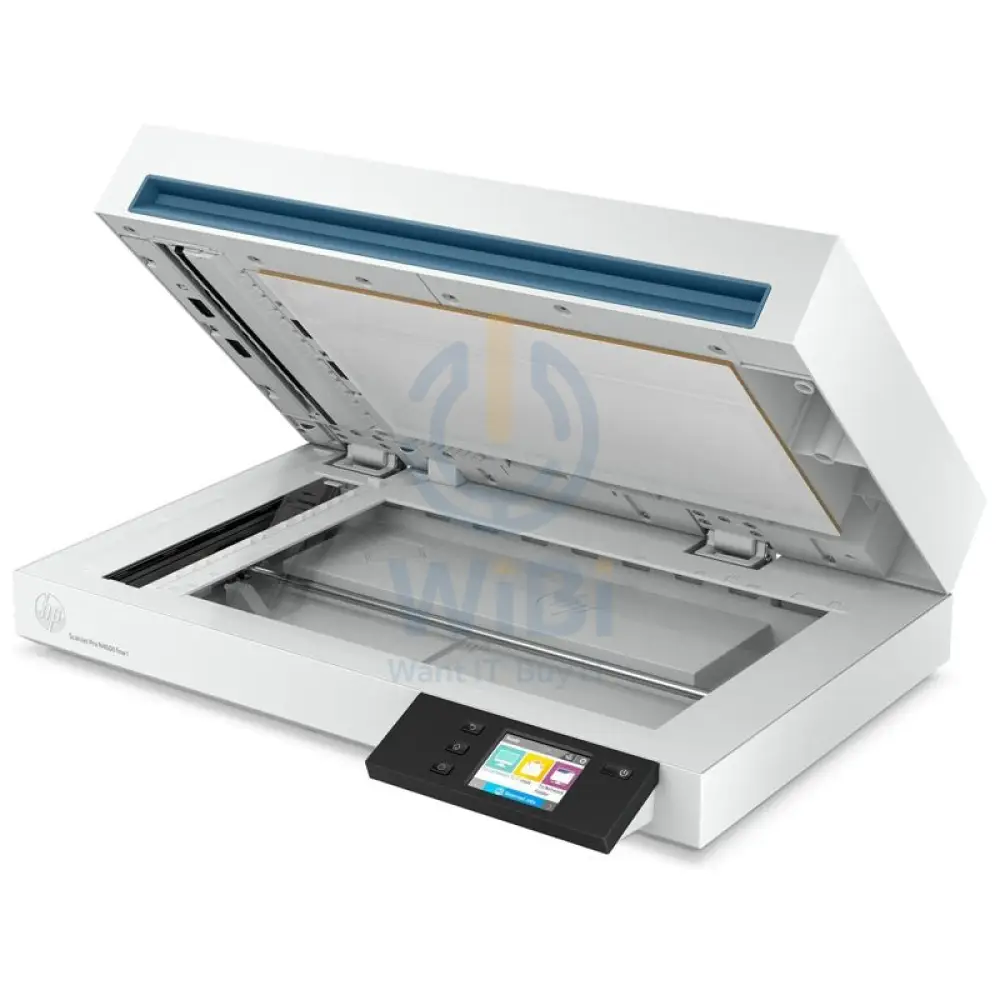
إتش بي سكان جت برو fnw1 - 40 صفحة في الدقيقة / 1200 نقطة في البوصة / A4 / شبكة محلية واي-فاي يو اس بي ماسح ضوئي مسطحة
إتش بي سكان جت برو fnw1 - 40 صفحة في الدقيقة / 1200 نقطة في البوصة / A4 / شبكة محلية واي-فاي يو اس بي ماسح ضوئي مسطحة
| ماركة | إتش بي |
| موديل | HP ScanJet Pro N4600 fnw1 Flatbed ADF Scanner |
| ماسح ضوئي النوع | ADF، تكنولوجيا المسح الضوئي CIS، مسطحة |
| مسح تكنولوجيا | ADF؛ مسطحة؛ مستشعر الصور التلامسية مستشعر CIS) |
| مسح دقة بصري | فوق إلى نقطة في البوصة لون أحادية اللون، وحدة التغذية التلقائية للورق)، فوق إلى نقطة في البوصة لون أحادية اللون، مسطحة) |
| دورة الموصى به (يوميًا) | فوق إلى صفحات |
| بت العمق | بت خارجية)،بت داخلية) |
| مستويات تدرج الرمادي | 256 |
| الكشف عن تعدد الأعداء | لا |
| شاشة | 2.8-in (7.11-cm) Touchscreen |
| ذاكرة | 512 ميغابايت |
| مسح حجم | ADF: 216 x 5362 mm Maximum; 89 x 148 mm Minimum; Flatbed: 216 x 356 mm |
| الوسائط أنواع | الورق (لافتات، نافثة للحبر، صور، عادي)، الاظرف (المغلفات) الملصقات، بطاقات بطاقات المعايدة، بطاقات الفهرس) |
| الوسائط | ورقة؛ قانونية؛ تنفيذية؛ A4؛ A5؛ A6؛ B5؛ B5 (JIS) |
| أوزان الوسائط مدعومة بـ ADF | 45 to 120 g/m² |
| مسح تنسيق الملف | بالنسبة صفحات النص والصور: PDF، JPEG، PNG، BMP، TIF، نص (TXT)، نص منسق (RTF)، PDF قابل للبحث، PDF/A، Word (DOC)، Word (DOCX)، Excel (XLS)، Excel (XLSX)، CSV |
| أوضاع الإدخال مسح | Scan Front-Panel Function : Scan to Computer, Scan to E-mail, Scan to Network Folder, Scan to Share Folder, Scan to USB Drive and Everyday Scan. HP Scan in Win OS, HP Easy Scan/ICA in Mac OS and THIRD parties applications via TWAIN. |
| رقمية إرسالميزات قياسي | Send to Email (Store Up to 50 e-mails); Send to Network Folder; Send to PC |
| ماسح ضوئي متقدم ميزات | One pass duplex scanning; Multi-feed detection sensor; Configurable Scan shortcuts with HP Scan (included): OCR; Auto exposure; Auto threshold; Auto detect color; Background smooth/removal; Auto detect size; Straighten content; Enhance content; Auto orient; Multicolor dropout; Edge erase; Blank page options: Delete Blank Page, Blank Page Detection Sensitivity, Zonal Blank Detect; Merge pages; Document separation options: Zonal Text Separation, Barcode Separation, Blank Page Separation (Front/Back/Both/Any side selection), Add Page Separator Manually; Auto Feed; Show Viewer After Scan and Post Scan Operations are: Mark the image for Deletion, Rotate option, Move Left/Right, Create/Delete New Selection, Save as Scan Area, Manual Straighten option, Drag and Crop, Undo Options, image - Basic Zoom Slider, Open in Zoom Window(Zoom, Crop, Rotate); Background Clean-up options: Clean-up Background, Remove: make white, Smooth: make consistent, Remove Holes, Multi-Streaming; Single zone Selection for Zonal OCR, Barcode and QR Code; PDF options: PDF Security Settings (Applicable for PDF and Searchable PDF), Password Security & Document Permission Settings, PDF – iHQC compression, File Size/Quality Slider; TIFF Compression Options: for Gray or Color: Uncompressed/LZW/Jpeg-Tiff, for BW: Uncompressed/LZW/Tiff G3/Tiff G4; File Name Options: Base Name, Date, Time, Document Counter, Barcode Value, Zonal Text, File name sequence Settings, If File name already exists Actions - Overwrite/Append Date Time Stamp/Prompt for File Name, Intelligent File Naming; Destinations options: Email (Mail Clients, Save Local Copy Option, Local or NW), Folder, Save Folder path, Show Save as Dialog Box, After Saving the File(s) action, Printer/Fax, Plugins available if not already included: SMTP, SFTP, Box and Evernote, SharePoint, SharePoint365, Google Drive, Dropbox, OneDrive, One Drive for Business and more; Enable Book Scan (Flatbed); Vertical Streak Removal/Detection; Multi Document Scanning; Enable Desktop Icons creation for Scan Profiles/Shortcuts; Shortcut Management: Create new Scan Shortcut, Delete Shortcut, Rename Shortcut, Shortcut Move Up/Down, Shortcut – Save/Undo, Restore Shortcut Defaults-Factory Settings, Import/Export Shortcut; retrieve shortcuts from Scanner without accessing the software on the PC; Configurable Scan shortcuts as standalone (using only the firmware of the scanner) without using the HP Scan Software: Scan to Computer, E-mail, Network Folder, SharePoint, Scan to USB Drive |
| لوحة التحكم | 2.8-in (7.11-cm) Touchscreen, Buttons (Power, Back, Home, Help) |
| وحدة تغذية المستندات تلقائي سعة | قياسي، 100 ورقة |
| وحدة تغذية المستندات تلقائي سرعة | Up to 40 ppm/80 ipm (Black & White, Grey and Color, 300 dpi) |
| خيارات المسح الضوئي (وحدة التغذية التلقائية للورق) | دوبلكس فردي دوبلكس |
| دوبلكس المسح الضوئي ADF | نعم |
| متوافق تشغيل أنظمة التشغيل | ويندوز ويندوز ويندوز ؛ ويندوز .1؛ ويندوز ؛ ويندوز سيرفر نظام تشغيل ماك .14 Mojave؛ نظام تشغيل ماك . نظام تشغيل ماك Catalina؛ نظام تشغيل ماك Big Sur؛ نظام تشغيل ماك Monterey؛ لينكس |
| ماك متوافق | نعم |
| اتصال قياسي | Ethernet 10/100/1000 Base-T, USB 3.0, Wi-Fi 802.11 b/g/n, Wi-Fi Direct |
| توين نسخة | نسخة .4 |
| طاقة | الجهد الدخل: 100 إلى فولت تيار متردد |
| طاقة استهلاك | 17.4 Watts (Active-Scanning), 7.5 Watts (Ready), 1.9 Watts (Sleep), 0.06 Watts (Auto-Off), 0.06 Watts (Manual-Off) |
| نطاق تشغيل الحرارة التشغيلية | 10 إلى 35 درجة مئوية |
| تشغيل رطوبة نطاق التشغيل | 15 إلى 80% رانددون تكاثف) |
| الأبعاد واط × عمق × ارتفاع) | 537 x 443 x 388 mm |
| الوزن | 6.1 كجم 6.1 |
| الضمان | سنة واحدة |
$11,325.15
الأصلي: $32,357.57
-65%إتش بي سكان جت برو fnw1 - 40 صفحة في الدقيقة / 1200 نقطة في البوصة / A4 / شبكة محلية واي-فاي يو اس بي ماسح ضوئي مسطحة—
$32,357.57
$11,325.15معلومات المنتج
معلومات المنتج
الشحن والإرجاع
الشحن والإرجاع
Description
| ماركة | إتش بي |
| موديل | HP ScanJet Pro N4600 fnw1 Flatbed ADF Scanner |
| ماسح ضوئي النوع | ADF، تكنولوجيا المسح الضوئي CIS، مسطحة |
| مسح تكنولوجيا | ADF؛ مسطحة؛ مستشعر الصور التلامسية مستشعر CIS) |
| مسح دقة بصري | فوق إلى نقطة في البوصة لون أحادية اللون، وحدة التغذية التلقائية للورق)، فوق إلى نقطة في البوصة لون أحادية اللون، مسطحة) |
| دورة الموصى به (يوميًا) | فوق إلى صفحات |
| بت العمق | بت خارجية)،بت داخلية) |
| مستويات تدرج الرمادي | 256 |
| الكشف عن تعدد الأعداء | لا |
| شاشة | 2.8-in (7.11-cm) Touchscreen |
| ذاكرة | 512 ميغابايت |
| مسح حجم | ADF: 216 x 5362 mm Maximum; 89 x 148 mm Minimum; Flatbed: 216 x 356 mm |
| الوسائط أنواع | الورق (لافتات، نافثة للحبر، صور، عادي)، الاظرف (المغلفات) الملصقات، بطاقات بطاقات المعايدة، بطاقات الفهرس) |
| الوسائط | ورقة؛ قانونية؛ تنفيذية؛ A4؛ A5؛ A6؛ B5؛ B5 (JIS) |
| أوزان الوسائط مدعومة بـ ADF | 45 to 120 g/m² |
| مسح تنسيق الملف | بالنسبة صفحات النص والصور: PDF، JPEG، PNG، BMP، TIF، نص (TXT)، نص منسق (RTF)، PDF قابل للبحث، PDF/A، Word (DOC)، Word (DOCX)، Excel (XLS)، Excel (XLSX)، CSV |
| أوضاع الإدخال مسح | Scan Front-Panel Function : Scan to Computer, Scan to E-mail, Scan to Network Folder, Scan to Share Folder, Scan to USB Drive and Everyday Scan. HP Scan in Win OS, HP Easy Scan/ICA in Mac OS and THIRD parties applications via TWAIN. |
| رقمية إرسالميزات قياسي | Send to Email (Store Up to 50 e-mails); Send to Network Folder; Send to PC |
| ماسح ضوئي متقدم ميزات | One pass duplex scanning; Multi-feed detection sensor; Configurable Scan shortcuts with HP Scan (included): OCR; Auto exposure; Auto threshold; Auto detect color; Background smooth/removal; Auto detect size; Straighten content; Enhance content; Auto orient; Multicolor dropout; Edge erase; Blank page options: Delete Blank Page, Blank Page Detection Sensitivity, Zonal Blank Detect; Merge pages; Document separation options: Zonal Text Separation, Barcode Separation, Blank Page Separation (Front/Back/Both/Any side selection), Add Page Separator Manually; Auto Feed; Show Viewer After Scan and Post Scan Operations are: Mark the image for Deletion, Rotate option, Move Left/Right, Create/Delete New Selection, Save as Scan Area, Manual Straighten option, Drag and Crop, Undo Options, image - Basic Zoom Slider, Open in Zoom Window(Zoom, Crop, Rotate); Background Clean-up options: Clean-up Background, Remove: make white, Smooth: make consistent, Remove Holes, Multi-Streaming; Single zone Selection for Zonal OCR, Barcode and QR Code; PDF options: PDF Security Settings (Applicable for PDF and Searchable PDF), Password Security & Document Permission Settings, PDF – iHQC compression, File Size/Quality Slider; TIFF Compression Options: for Gray or Color: Uncompressed/LZW/Jpeg-Tiff, for BW: Uncompressed/LZW/Tiff G3/Tiff G4; File Name Options: Base Name, Date, Time, Document Counter, Barcode Value, Zonal Text, File name sequence Settings, If File name already exists Actions - Overwrite/Append Date Time Stamp/Prompt for File Name, Intelligent File Naming; Destinations options: Email (Mail Clients, Save Local Copy Option, Local or NW), Folder, Save Folder path, Show Save as Dialog Box, After Saving the File(s) action, Printer/Fax, Plugins available if not already included: SMTP, SFTP, Box and Evernote, SharePoint, SharePoint365, Google Drive, Dropbox, OneDrive, One Drive for Business and more; Enable Book Scan (Flatbed); Vertical Streak Removal/Detection; Multi Document Scanning; Enable Desktop Icons creation for Scan Profiles/Shortcuts; Shortcut Management: Create new Scan Shortcut, Delete Shortcut, Rename Shortcut, Shortcut Move Up/Down, Shortcut – Save/Undo, Restore Shortcut Defaults-Factory Settings, Import/Export Shortcut; retrieve shortcuts from Scanner without accessing the software on the PC; Configurable Scan shortcuts as standalone (using only the firmware of the scanner) without using the HP Scan Software: Scan to Computer, E-mail, Network Folder, SharePoint, Scan to USB Drive |
| لوحة التحكم | 2.8-in (7.11-cm) Touchscreen, Buttons (Power, Back, Home, Help) |
| وحدة تغذية المستندات تلقائي سعة | قياسي، 100 ورقة |
| وحدة تغذية المستندات تلقائي سرعة | Up to 40 ppm/80 ipm (Black & White, Grey and Color, 300 dpi) |
| خيارات المسح الضوئي (وحدة التغذية التلقائية للورق) | دوبلكس فردي دوبلكس |
| دوبلكس المسح الضوئي ADF | نعم |
| متوافق تشغيل أنظمة التشغيل | ويندوز ويندوز ويندوز ؛ ويندوز .1؛ ويندوز ؛ ويندوز سيرفر نظام تشغيل ماك .14 Mojave؛ نظام تشغيل ماك . نظام تشغيل ماك Catalina؛ نظام تشغيل ماك Big Sur؛ نظام تشغيل ماك Monterey؛ لينكس |
| ماك متوافق | نعم |
| اتصال قياسي | Ethernet 10/100/1000 Base-T, USB 3.0, Wi-Fi 802.11 b/g/n, Wi-Fi Direct |
| توين نسخة | نسخة .4 |
| طاقة | الجهد الدخل: 100 إلى فولت تيار متردد |
| طاقة استهلاك | 17.4 Watts (Active-Scanning), 7.5 Watts (Ready), 1.9 Watts (Sleep), 0.06 Watts (Auto-Off), 0.06 Watts (Manual-Off) |
| نطاق تشغيل الحرارة التشغيلية | 10 إلى 35 درجة مئوية |
| تشغيل رطوبة نطاق التشغيل | 15 إلى 80% رانددون تكاثف) |
| الأبعاد واط × عمق × ارتفاع) | 537 x 443 x 388 mm |
| الوزن | 6.1 كجم 6.1 |
| الضمان | سنة واحدة |